
To sign up for a free account, please follow these instructions:
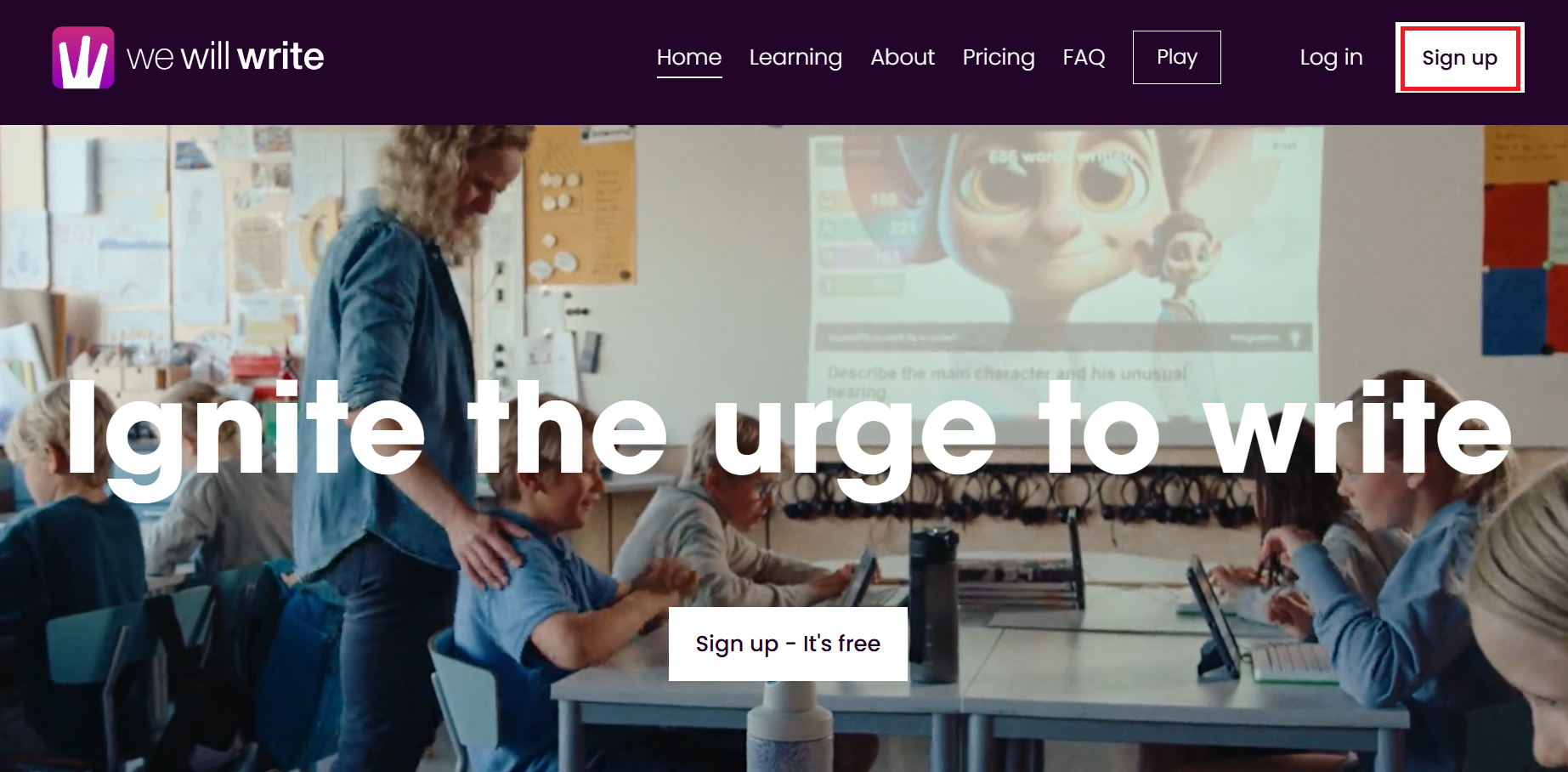
1. Go to https://wewillwrite.com.
2. Click Sign up in the upper right-hand corner.
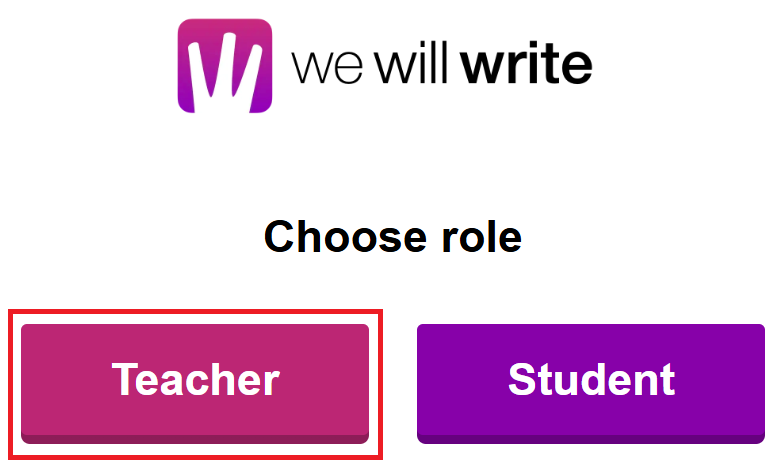
3. Click on Teacher.
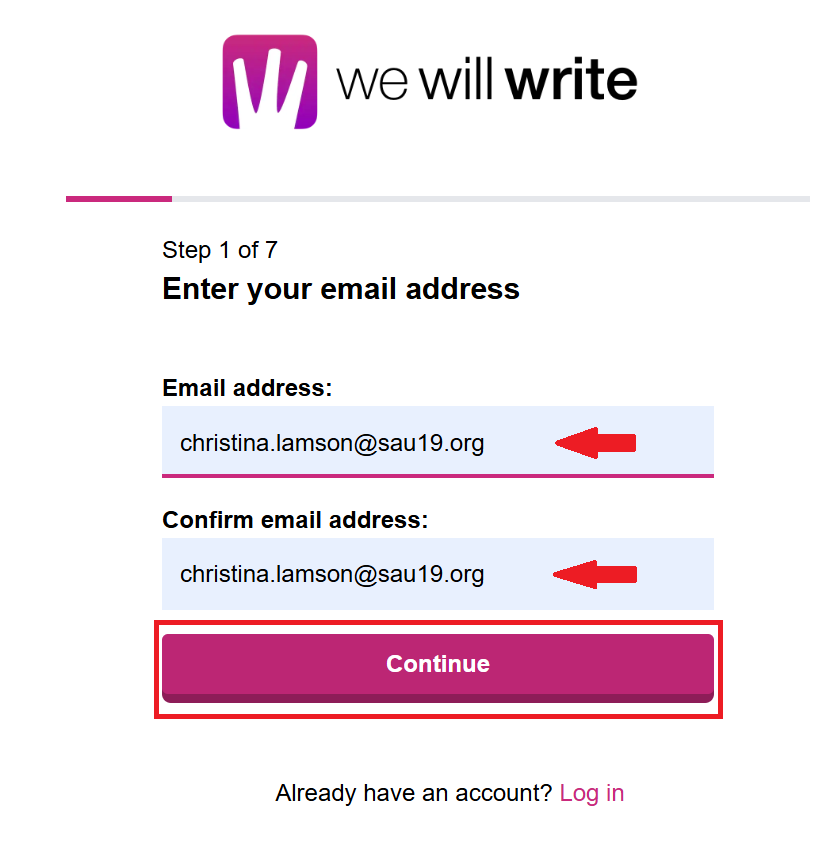
4. Enter and confirm your work email address and click Continue.
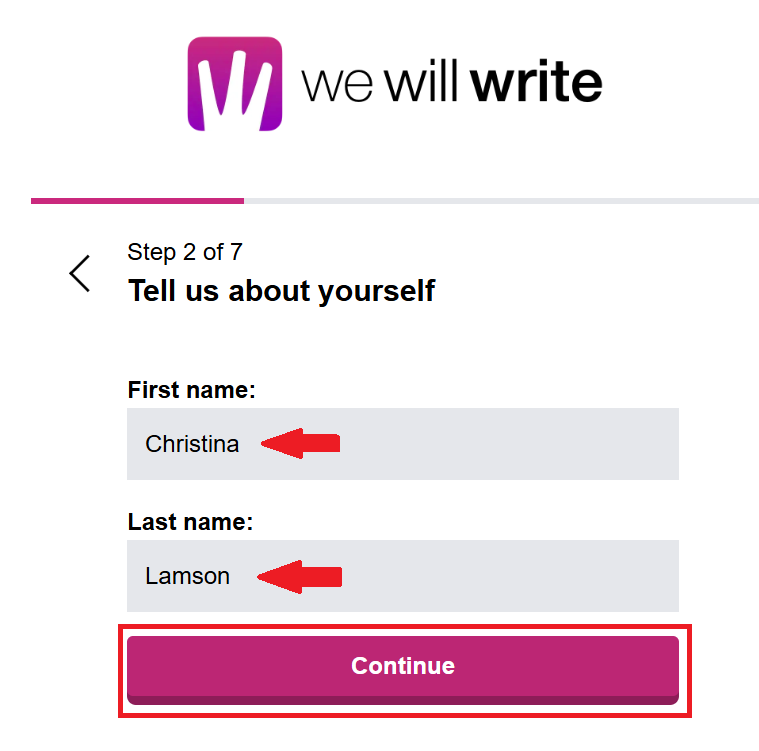
5. Enter your first and last name and then click Continue.
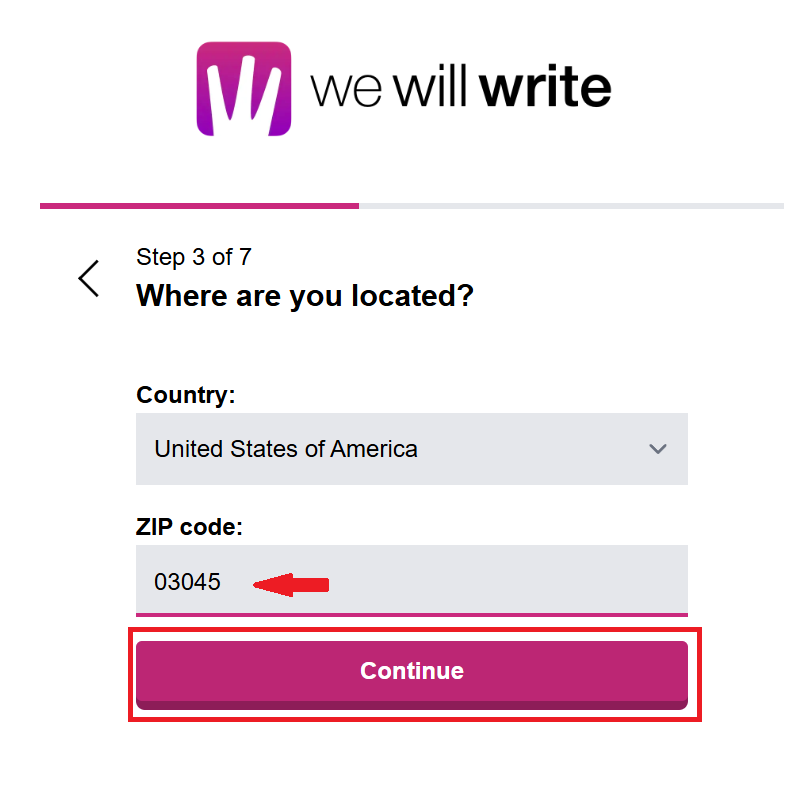
6. Under Country, ensure United States of America is selected and then enter 03045 for the ZIP code. Then click Continue.
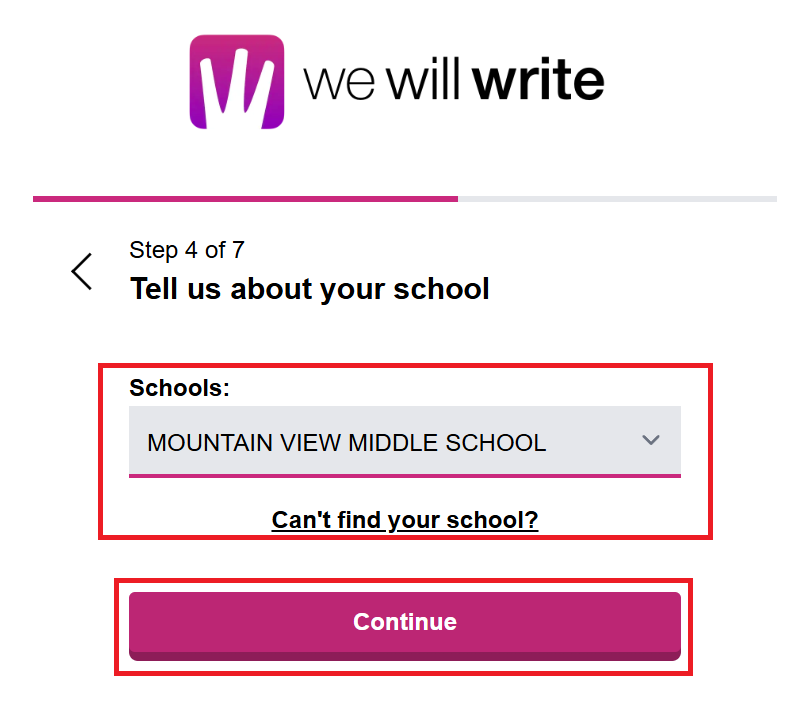
7. Select your school from the Schools drop-down menu. If you cannot locate your school, click Can't find your school? and follow the prompts to add your school. Then click Continue.
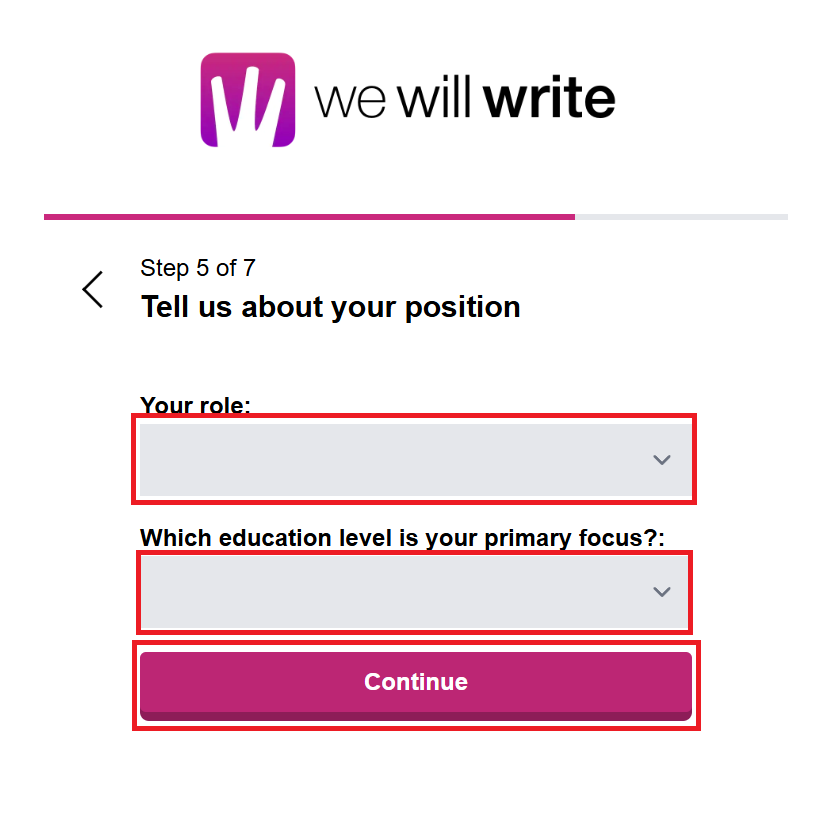
8. Select your role from the Your role drop-down menu and select your education level from the second drop-down menu. Then click Continue.
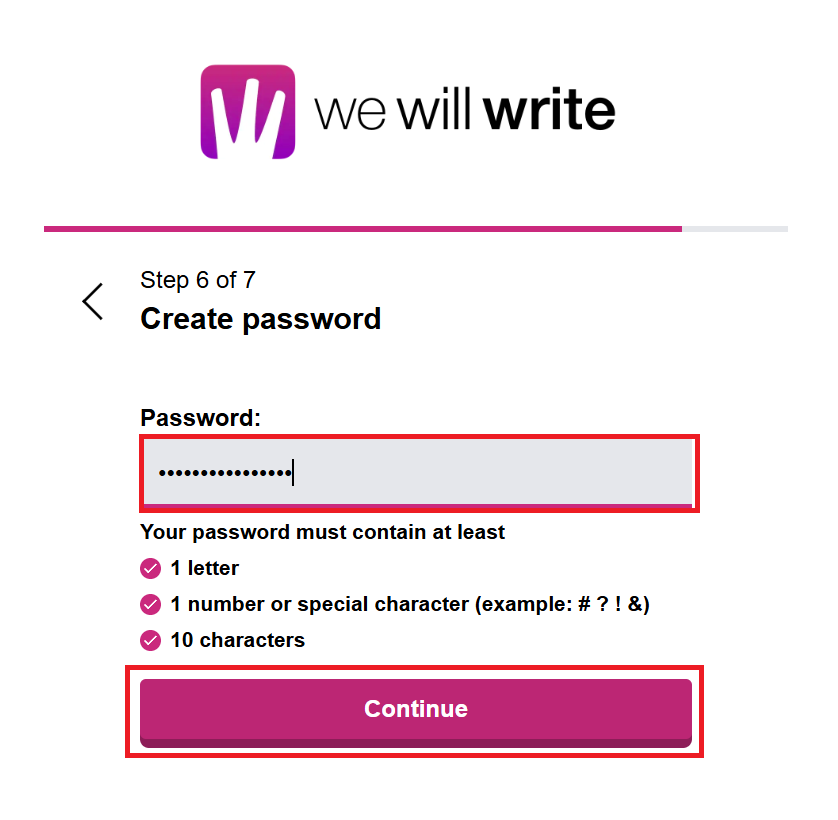
9. Create a strong password and then click Continue.
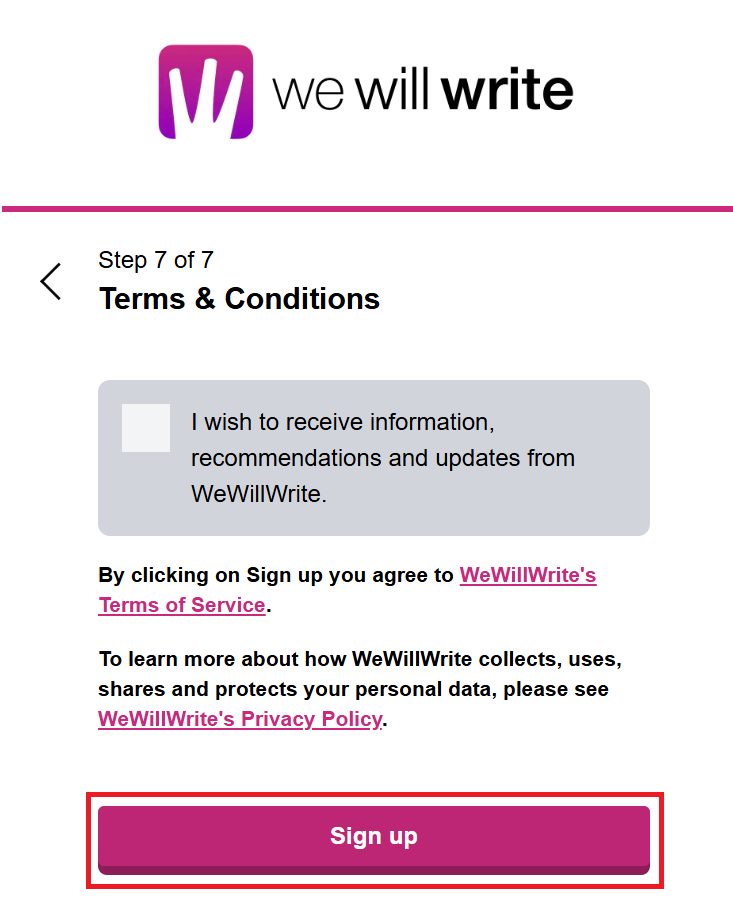
10. Click Sign up.
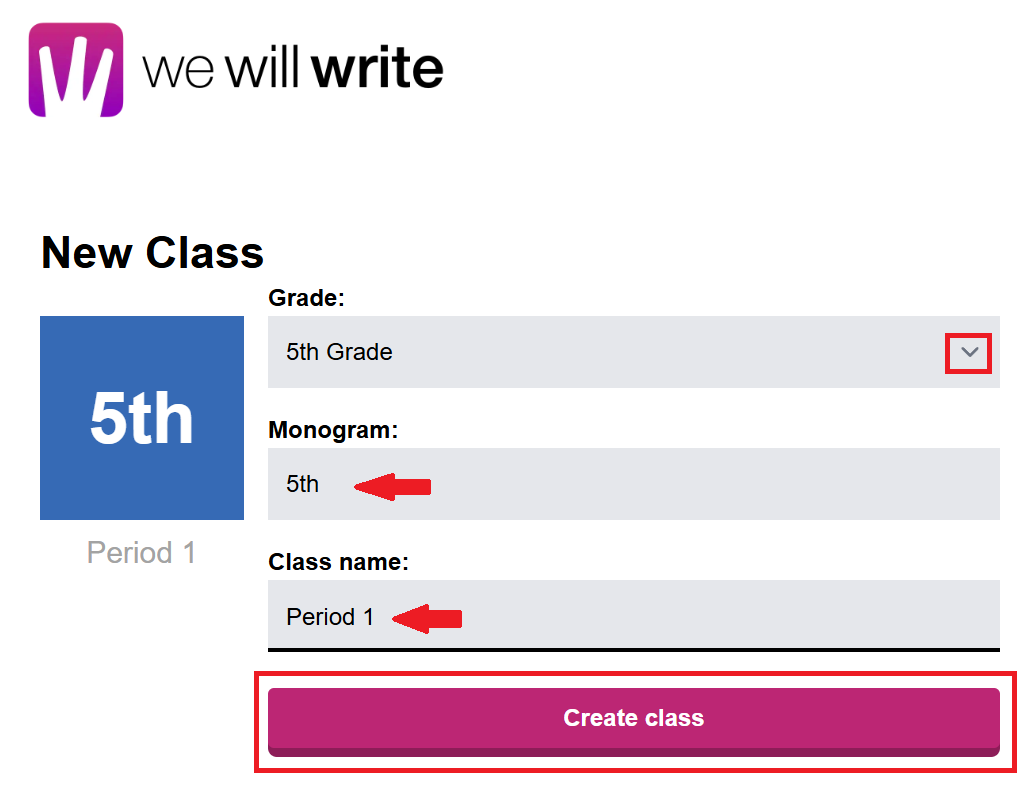
11. Select a Grade from the Grade drop-down menu. Type what you want to show in the Monogram box, and type in a name for the class. Then click Create class.
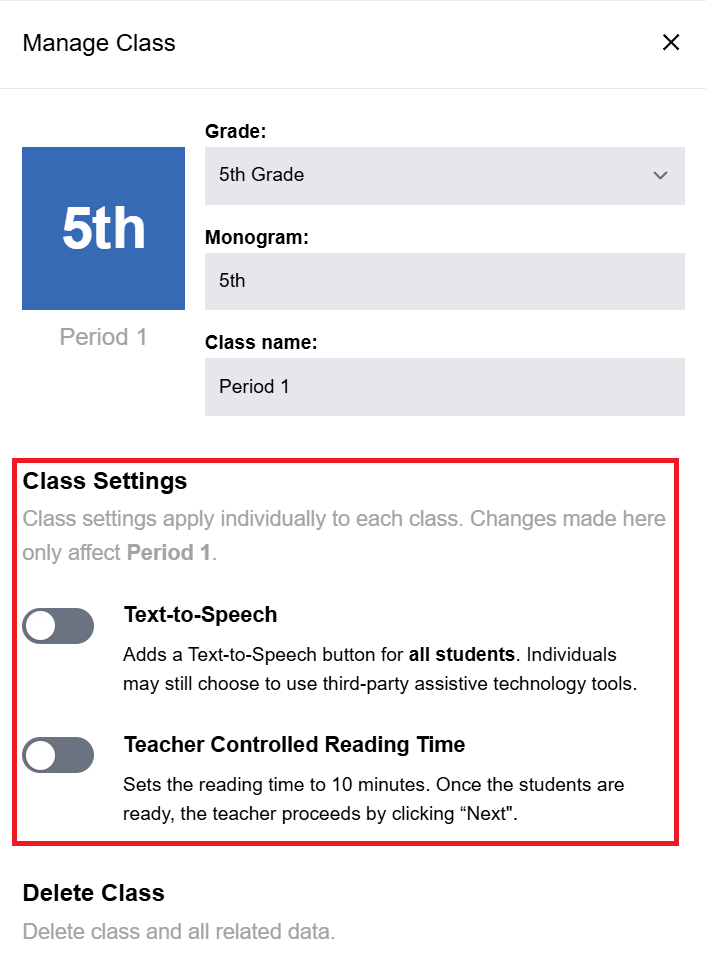
Your class will now be created. You can click on the class to edit additional settings or delete the class. To create another class, click New Class and repeat the steps above.